Backend modules
SEO
SEO module is used to achieve site Search Engine Optimisation. It is using YOAST SEO plugin. See https://yoast.com/wordpress-seo/.
Backend
Plugin has its own configuration. There is also configuration in each article, post, content editorial page. Editor can configure non default SEO tagging, categories, titles, social links, etc.
Frontend
This module does not have visible frontend. There are special markups in page source code (HTML).
Google XML Sitemaps
Plugin allows creation of XML sitemaps which are used by search engines to support indexing of webpages. It doesn’t do anything in frontend – it’s all about metadata and SEO.
In backend you can set what, with which priority and how often will be included/updated in sitemap. You can limit certain Post Types or web parts not to display in sitemap. You can as well manually set information about new/changed sitemap to search engines Bing and Google.
It’s widely used across many solutions and can be reused without any troubles.
Tracking
Tracking module allows to put tracking code into site pages. You can use any tracking code, for example Google Tag Manager. Google analytics, or custom.
Backend
There is administration in Settings section in Wordpress administration.
This module does not have front end.
WP Media folder
In its core plugin doesn’t do anything in frontend – however other plugins/components can be created to use the new media organisation system created by this plugin. In Media Library (backend) you can add images/videos/files uploaded to Library to different directories/subdirectories. These directories are kind of imaginary, because file system and URLs of files are not changed at all. It can be reused without any troubles. However any additional plugin used for filtering media files with this plugin’s system is highly template specific and has to be redone for given task.
Backend
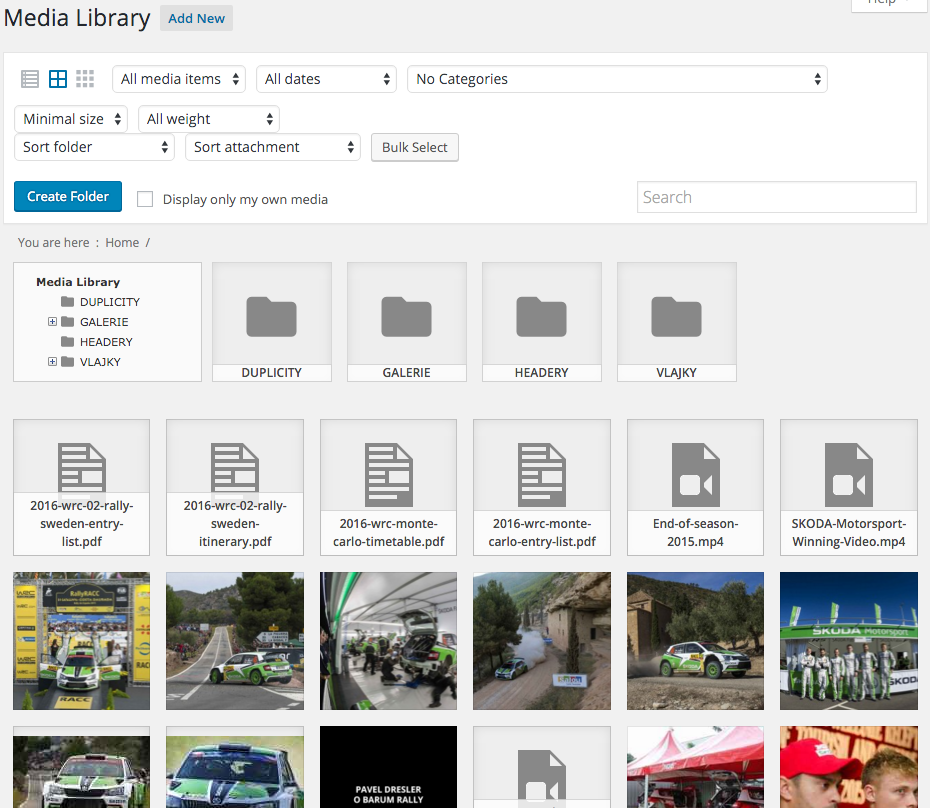
Advanced Custom Fields
Plugin shows wide spectrum of defined variables on frontend. Administration allows adding of new fields to backend – customised editing of Pages, Posts and Custom Post Types.
Column Shortcodes
Plugin allows dividing content to columns of various width, which is a portion of total content width.
In WYSIWYG editor of Pages, Posts and Custom Post Types it’s possible to use shortcodes for dividing content into columns.
FooTable
Plugin allows optimisation of tables shown in frontend. After setting through backend the tables are responsive and optimised for given resolutions. Additional functions are sorting, filtration and pagination.
MCE Table Buttons
Tables created by this plugin are shown in frontend. In WYSIWYG editor of editing interface (backend) you can use new buttons to create tables.
It’s widely used across many solutions and can be reused without any troubles.
Post Types Order
Plugin allows to display Posts, Pages and Custom Post Types in specified order. In backend you can use drag and drop functionality to change order of Posts, Pages and Custom Post Types.
Really Simple CAPTCHA (addon pro Contact Form 7)
This plugin is an extension for Contact Form 7 plugin. It allows using of CAPTCHA in forms displayed on webpage.
In backend you can use this plugin to define CAPTCHAs in forms created by Contact Form 7 plugin.
Regenerate Thumbnails
Plugin allows regeneration of thumbnails of various sizes, which are part of Media Library. In frontend these thumbnails are then used on places specified by template.
In backend you can manually start a process which regenerates all thumbnails of images uploaded to Media Library. Therefor this is used mainly for images optimisation – after optimising original images you will probably also want to re-create their thumbnails as well.
SMK Sidebar Generator
Plugin allows displaying of different sidebars on different webpages. In backend you can create new sidebars and conditions which are used to decide whether the sidebar is shown in frontend.